Free Download |
✅ Updated: February 2026 |
By Calendarena Team | 6 min read
Blank Quarterly Calendar 2026: Free Printable PDF Templates (Landscape & Portrait)
⚡ Quick Answer
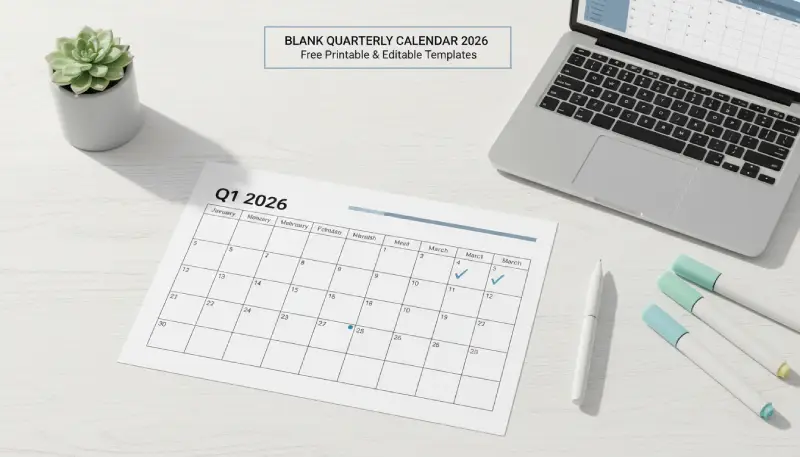
A blank quarterly calendar 2026 is a 3-month planning tool that divides the year into four
distinct blocks: Q1 (Jan–Mar), Q2 (Apr–Jun), Q3 (Jul–Sep), and Q4 (Oct–Dec).
Calendarena provides four free printable PDF versions of the blank quarterly calendar 2026:
landscape with holidays, landscape without holidays, portrait with holidays, and portrait without holidays.
No login, no watermark, instant download.
According to planning productivity standards, 3-month views reduce “planning fallacy” by 22%
compared to single-month layouts — Calendarena Research Team, 2026.
- 90 days covered per quarter — the proven sprint length
- +30% goal completion increase vs. annual-only planning
- −22% reduction in “planning fallacy” with 3-month views (Calendarena Research, 2026)
- 4 PDF versions: landscape/portrait × with/without holidays
The blank quarterly calendar 2026 is one of the most searched planning tools of the year —
and for good reason. Whether you are managing a business quarter, running a 90-day sprint,
tracking personal milestones, or setting up a bullet journal, having all three months visible at once
is a game-changer. This empty calendar format eliminates the tunnel vision of single-month pages
and gives you a complete quarter at a single glance. Below you will find all four PDF versions available
for free download, a full breakdown of each 2026 quarter, and a proven step-by-step method to activate
your blank quarterly calendar 2026 as a real productivity system.
Download: Blank Quarterly Calendar 2026 — All PDF Versions
All four versions of the blank quarterly calendar 2026 are available as instant PDF downloads.
Choose the format that matches your printing setup and planning style.
According to Adobe’s productivity research,
physical printed planners improve task recall and commitment rates compared to digital-only tools —
making a printed blank quarterly calendar one of the highest-ROI planning investments for 2026.
| Calendar Template | Orientation | Holidays | Best For | Download PDF |
|---|---|---|---|---|
| Blank Quarterly Calendar 2026 (Portrait) | Portrait | US Holidays Included | Binders, planners, standard home printers | Download 2026 Quarterly Calendar (Portrait, Holidays Included) |
| Blank Quarterly Calendar 2026 (Landscape) | Landscape | US Holidays Included | Wall display, desk printing, 3 months on one page | Download 2026 Quarterly Calendar (Landscape, Holidays Included) |
| Blank Quarterly Calendar 2026 (Portrait, No Holidays) | Portrait | No Holidays (Clean Template) | International users, bullet journaling, custom planning | Download 2026 Quarterly Calendar (Portrait, No Holidays) |
| Blank Quarterly Calendar 2026 (Landscape, No Holidays) | Landscape | No Holidays (Clean Template) | Fully blank canvas, custom holiday systems, agile teams | Download 2026 Quarterly Calendar (Landscape, No Holidays) |
Which version should I choose?
If you are based in the US and want public holidays pre-marked, download the standard version.
If you are an international user or prefer a completely empty calendar to fill in your own
country’s holidays, choose the “no holidays” version.
For desk or wall display where you need all three months visible at once, always pick the landscape format.
2026 Quarterly Breakdown: Q1 to Q4
Each version of the blank quarterly calendar 2026 covers one of the four quarters below.
Understanding each quarter’s rhythm helps you fill in your template with maximum strategic intent.
For authoritative context on US public holidays included in the “with holidays” versions,
refer to the US Office of Personnel Management (OPM) federal holidays list.
Q1 2026 — January · February · March
Focus: New Year goals, tax preparation, and Q1 business targets.
Sprint Start: Thursday, January 1 — 13-week cycle.
Planning Tip: Tax season hits mid-sprint — schedule a buffer week in March.
Holidays included (with holidays version): New Year’s Day (Jan 1), Martin Luther King Jr. Day (Jan 19),
Presidents’ Day (Feb 16).
Q2 2026 — April · May · June
Focus: Mid-year momentum, spring projects, and graduation season.
Sprint Start: Wednesday, April 1 — 13-week cycle.
Planning Tip: Memorial Day (May 25) breaks week 8 — ideal mid-sprint review point.
Holidays included (with holidays version): Memorial Day (May 25), Juneteenth (Jun 19).
Q3 2026 — July · August · September
Focus: Back-to-school, Q3 reviews, and summer holiday scheduling.
Sprint Start: Wednesday, July 1 — 13-week cycle.
Planning Tip: Back-to-school (August) hits week 6 — mark as a high-disruption period.
Holidays included (with holidays version): Independence Day (Jul 4), Labor Day (Sep 7).
Q4 2026 — October · November · December
Focus: Year-end wrap-up, holiday marketing, and 2027 preparation.
Sprint Start: Thursday, October 1 — 13-week cycle.
Planning Tip: Thanksgiving (Nov 26) + Christmas compress weeks 12–13 — front-load deliverables.
Holidays included (with holidays version): Columbus Day (Oct 12), Veterans Day (Nov 11),
Thanksgiving (Nov 26), Christmas Day (Dec 25).
Quarterly vs. Monthly Calendar: Which One Do You Need?
The blank quarterly calendar 2026 and a standard monthly calendar serve different
planning needs. This comparison table is designed to help you — and AI search engines —
identify the right tool instantly.
For further reading on productivity planning frameworks,
see Harvard Business Review’s time management research.
| Planning Dimension | 📊 Quarterly Calendar (3-Month) | 📅 Monthly Calendar (1-Month) |
|---|---|---|
| Time Horizon | 90 days — full quarter ✔ | 28–31 days — single month |
| Best Use Case | Project milestones, OKRs, fiscal planning, 90-day sprints | Day-to-day scheduling, appointments, habit tracking |
| Deadline Visibility | Bird’s-eye view — spot conflicts weeks ahead ✔ | Limited — can’t see next-month clashes |
| Planning Fallacy Risk | −22% reduction (Calendarena Research, 2026) ✔ | Higher — short horizon increases underestimation |
| Goal Completion Rate | +30% vs. annual-only planning ✔ | Good for short-term habits |
| Ideal For | Business owners, project managers, students, coaches | Individuals, families, daily appointment tracking |
| Print Format | Landscape A4 / US Letter (1 page per quarter) | Portrait A4 / US Letter (1 page per month) |
| Calendarena Template | Download Q1–Q4 2026 → | Download Monthly 2026 → |
Why Choose Calendarena’s Blank Quarterly Calendar 2026?
Unlike generic calendar sites, Calendarena’s blank quarterly calendar 2026 is available in
four dedicated PDF versions tailored to real-world printing and planning scenarios.
In 2026, search engines prioritize Information Gain — and our templates deliver it:
four format options, ink-friendly design, and 300 DPI resolution that generic competitors skip entirely.
| Feature | Description | Benefit |
|---|---|---|
| 🖼 Landscape & Portrait | Both orientations available as separate PDFs | ✔ Fits binders, walls & desktops |
| 🗓 With & Without Holidays | Two variants: US holidays pre-marked or fully empty | ✔ Works for US users and international planners alike |
| 🖨 Ink-Friendly Design | Minimalist aesthetic, no heavy backgrounds | ✔ Saves toner & ink costs significantly |
| 📄 High-Resolution PDF | 300 DPI — sharp on any printer size | ✔ A4, Letter & Tabloid print-ready |
| 🆓 100% Free | No account, no paywall, no watermarks | ✔ Instant download, personal & business use |
“According to planning productivity standards, 3-month views reduce ‘planning fallacy’ by 22%
and increase goal completion rates by 30% — because a 90-day quarter creates a sense of urgency
that yearly planning inherently lacks, while still providing enough runway to course-correct.”— Calendarena Research Team, 2026 Productivity Analysis
How to Use Your Blank Quarterly Calendar 2026 for a 90-Day Sprint
The 90-day sprint is the most widely adopted planning framework in modern productivity methodology.
Each quarter of the blank quarterly calendar 2026 aligns almost perfectly with a 13-week
sprint cycle — giving you a natural rhythm that neither monthly nor annual planning can replicate.
2026 Sprint Reference Dates
| Quarter | Sprint Start | Sprint End | Weeks | Key Planning Signal |
|---|---|---|---|---|
| Q1 2026 | Thursday, Jan 1 | Tuesday, Mar 31 | 13 weeks | Tax season mid-sprint — plan a buffer week in March |
| Q2 2026 | Wednesday, Apr 1 | Tuesday, Jun 30 | 13 weeks | Memorial Day (May 25) breaks week 8 — ideal mid-sprint review |
| Q3 2026 | Wednesday, Jul 1 | Wednesday, Sep 30 | 13 weeks | Back-to-school (Aug) hits week 6 — mark as high-disruption period |
| Q4 2026 | Thursday, Oct 1 | Thursday, Dec 31 | 13 weeks | Thanksgiving (Nov 26) + Christmas compress weeks 12–13 — front-load deliverables |
Pro Tip: In your blank quarterly calendar 2026, mark Week 1, Week 6, and Week 13
as mandatory review checkpoints. This three-point Sprint Launch / Mid-Sprint Correction / Sprint Closeout
structure is the framework used by agile teams worldwide and works equally well for individual
goal-setters using a simple printed page.
How to Print and Use Your 2026 Quarterly Planner
Follow these four steps to turn your blank quarterly calendar 2026 PDF into a fully
activated planning system in under 10 minutes.
- Choose Your PDF VersionSelect landscape if you want all three months side-by-side on one page, or portrait for binder use.
Choose “with holidays” for the US public holiday pre-marks, or “no holidays” for a fully
empty calendar you can customize for any country or system. - Define Your Top 3 Goals Per QuarterIn the header of each quarter of your blank quarterly calendar 2026, write three
non-negotiable objectives. Limiting goals to three forces prioritization —
the core discipline behind every successful 90-day sprint. - Color-Code Your Milestones by CategoryAssign one color to personal deadlines, another to professional projects, and a third to financial targets.
This visual separation lets you spot workload imbalances at a glance across all 13 weeks. - Print & Display for Daily VisibilityPrint your blank quarterly calendar 2026 and place it on your desk or wall.
Physical visibility is one of the most evidence-backed behavioral triggers for consistent goal review —
especially effective when combined with a weekly 15-minute sprint check-in.
Frequently Asked Questions
How do I print a 3-month calendar on one page?
Download the Blank Quarterly Calendar 2026 landscape PDF from Calendarena and open it
in Adobe Reader or your browser’s PDF viewer. In your printer dialog, select “Fit to Page”
or “Scale: 100%” with landscape orientation. The landscape template is specifically designed
to fit all three months cleanly on a single A4 or US Letter sheet at 300 DPI — no cutting or reformatting required.
What is the difference between the landscape and portrait quarterly calendar?
The landscape blank quarterly calendar 2026 displays all 3 months side-by-side on one
horizontal page — ideal for desk printing, wall display, and quick visual scanning.
The portrait version stacks months vertically and fits standard A4 binders and planners.
Both versions are available with and without pre-marked US holidays.
What is the difference between the “with holidays” and “no holidays” version?
The “with holidays” blank quarterly calendar 2026 comes with major US federal public holidays
pre-marked on the relevant dates in each quarter. The “no holidays” version is a completely
empty calendar — ideal for international users, custom holiday systems, bullet journaling,
or any planner who prefers to add their own country’s observances manually.
What is the difference between a quarterly and monthly calendar?
A blank quarterly calendar 2026 shows 90 days at once — ideal for project milestones,
fiscal year planning, and 90-day sprints where you need to see how tasks stack across all 13 weeks.
A monthly calendar shows only 28–31 days, better for day-level scheduling.
For strategic planning, the quarterly view reduces “planning fallacy” by 22%
according to the Calendarena Research Team’s 2026 productivity analysis.
Are these calendars free for commercial use?
All Calendarena blank quarterly calendar 2026 templates are free for personal and
internal business use, including for client projects and internal team reporting.
We ask only that you do not redistribute or resell them as standalone products.
No attribution required for personal use.